
IV Overlay Calculator1.1.2 - Get APK
You'll be able to download in few seconds.
Publisher Description
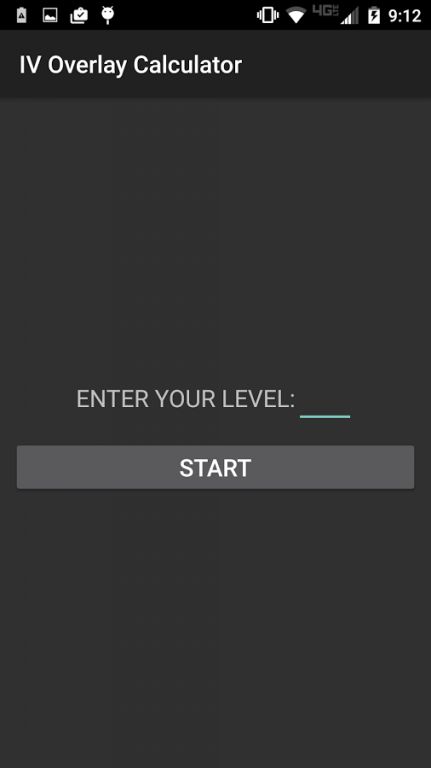
This app overlays a GET IVS button over other apps to make it quick and easy to calculate all possible IVs. No login required. This app can save possible IVs to filter against later (after evolving or powering up) to get exact IVs.
How it works:
When GET IVS is clicked, a screenshot is taken, character and arc recognition is run on the screenshot, and based on the recognized values all possible IVs are calculated. No network requests are made for getting the possible IVs. Internet permission is only required for displaying ads. Please use the paid version of the app (IV Overlay Calculator Plus) if you do not want ads or do not want to grant internet permission.
Instructions:
1) Open app
2) Enter your level
3) Click START button
4) Click START NOW button (you may need to permit drawing over other apps)
5) Navigate to screen with name, cp, hp, and arc visible
6) Click GET IVS button
7) Swipe to a new screen and click button with percentage range to calculate IVs for the new screen
8) Repeat step 7 for as many screens as you wish to get IVs for
If ERROR button is displayed check that name, cp, hp, and end of arc marker is correct. If not, either make sure nothing is covering the name, cp, hp, and arc and click ERROR button to get IVs again or click EDIT button to manually enter fields that were missing or incorrect.
To save IVs: click EDIT button -> click CALCULATE button -> click SAVE button -> click SAVE button
To filter by saved IVs: click EDIT button -> click CALCULATE button -> select from "Filter by" drop down
If you're getting a black screen, try closing the other app and starting the overlay first
If the app is unable to determine the values on a screen, please help improve the app by emailing a screenshot to IVOverlayCalculator@gmail.com
About IV Overlay Calculator
The company that develops IV Overlay Calculator is Isaac W. Davis. The latest version released by its developer is 1.1.2.
To install IV Overlay Calculator on your Android device, just click the green Continue To App button above to start the installation process. The app is listed on our website since 2016-09-11 and was downloaded 0 times. We have already checked if the download link is safe, however for your own protection we recommend that you scan the downloaded app with your antivirus. Your antivirus may detect the IV Overlay Calculator as malware as malware if the download link to davis.iv.overlay is broken.
How to install IV Overlay Calculator on your Android device:
- Click on the Continue To App button on our website. This will redirect you to Google Play.
- Once the IV Overlay Calculator is shown in the Google Play listing of your Android device, you can start its download and installation. Tap on the Install button located below the search bar and to the right of the app icon.
- A pop-up window with the permissions required by IV Overlay Calculator will be shown. Click on Accept to continue the process.
- IV Overlay Calculator will be downloaded onto your device, displaying a progress. Once the download completes, the installation will start and you'll get a notification after the installation is finished.
Program Details
System requirements
Download information
Pricing
Version History
version 1.1.2
posted on 2016-09-11
-Handles nicknames,-Improved arc recognition,-Ability to save IVs and use saved IVs to filter against future calculations (after evolving or powering up) to get exact IV,-Fixed bug where it would hang on "Taking screenshot...",-Show percentage range instead of average percentage
Disclaimer
External Download
We do not host IV Overlay Calculator on our servers. We did not scan it for viruses, adware, spyware or other type of malware. This app is hosted by Galad and passed their terms and conditions to be listed there. We recommend caution when installing it.
The APK Download link for IV Overlay Calculator is provided to you by apps112.com without any warranties, representations or guarantees of any kind, so access it at your own risk.
If you have questions regarding this particular app contact the publisher directly. For questions about the functionalities of apps112.com contact us.
